
Download and install the ReStackor spreadsheet demo
The links below install the ReStackor demo:
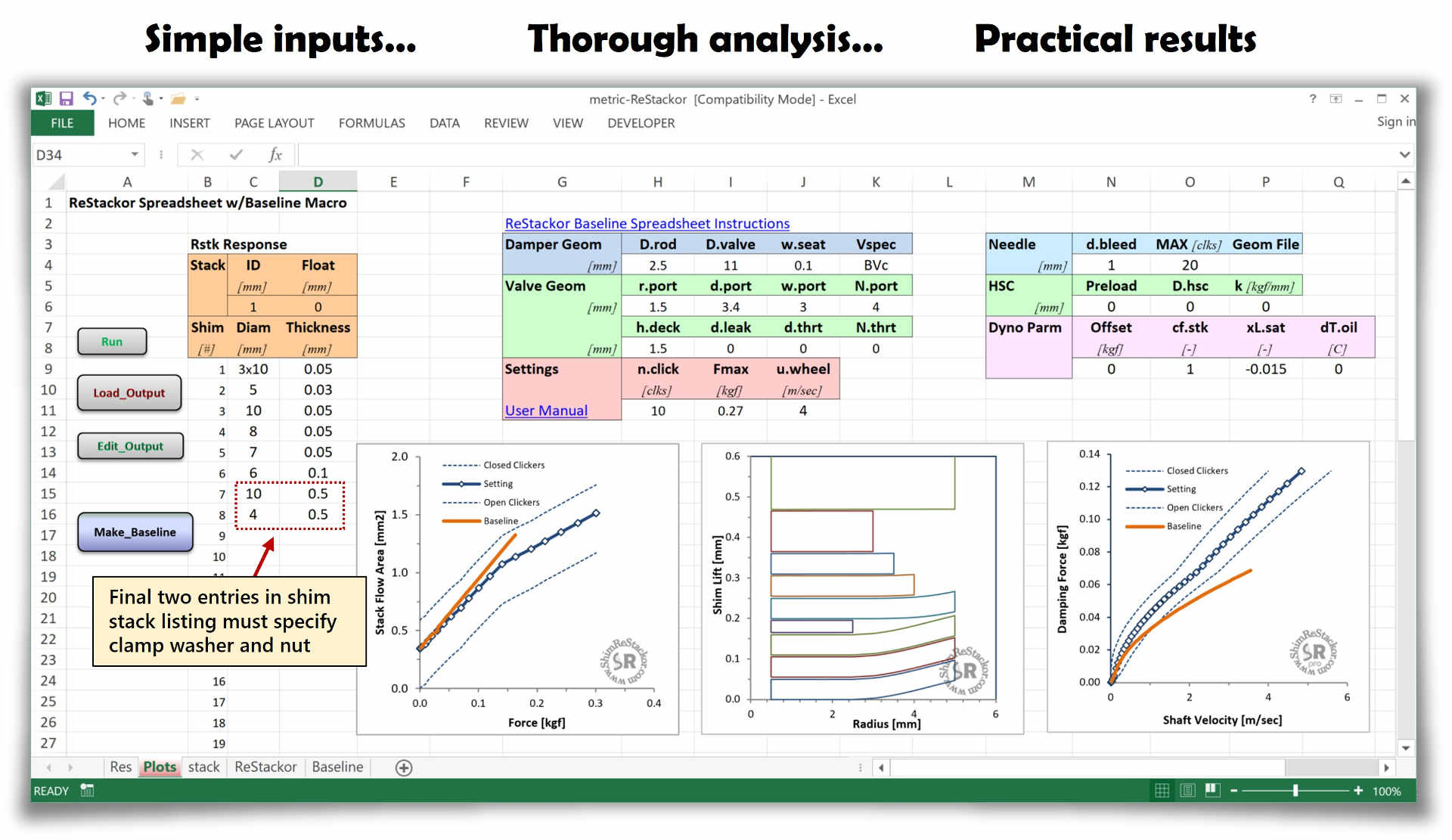
- In demo mode shim stacks are limited to ten shims
- Shim diameters must be less than 10 mm
- The final two entries must specify the stack clamp washer and nut
To run more complex configurations you need to purchase a ReStackor code license to unlock the demo.
Microsoft Excel
LibreOffice
Software updates
| Version | Date | Update |
|---|---|---|
| v0.83 | June 2009 | Initial Release |
| v0.84 | Nov 2010 | Base and mid-valve interactions |
| v0.84.1 | May 2011 | Ring shim calculations |
| v0.85 | March 2013 | Compression adjuster spring preload |
| v0.91 | Sept 2014 | Dissolved air oil foaming |
| v0.92 | Jan 2015 | Thumper Talk dyno comparisons |
| v0.92.4 | Feb 2017 | Low speed modeling improvements |
| v0.93 | Sep 2017 | Suspension response initial release |
| v0.93.1 | May 2018 | Response force profile over stroke |
| v0.93.2 | July 2019 | Response rebound stroke stall with high piston band drag |
| v0.93.3 | Jan 2020 | Update leak jet calcs for valves running high float |
| v0.93.3b | Jan 2020 | Closed chamber ICS added to response calculations |
| v0.93.3c | Sept 2020 | AER 34mm fork piston update |
Update to latest code release:
Download and install the current demo to upgrade your software to the current version. The demo installation will overwrite all of your files in the C:\ReStackor directory, pick up your existing User and code keys, and run at the previous licensed code level.
Demo install keystrokes
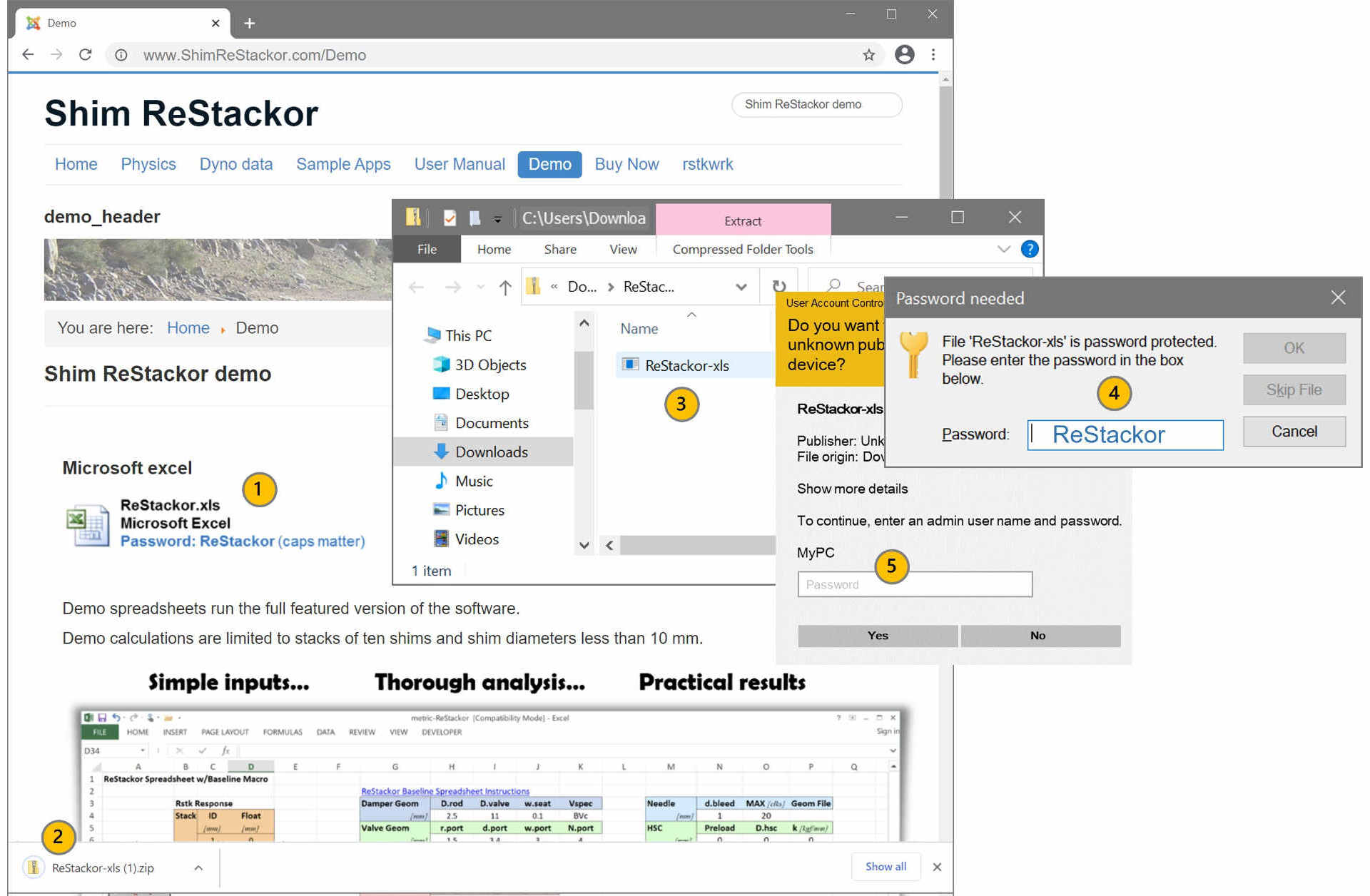
- Download the Excel or LibreOffice install package
- Double click the downloaded package to open the zip file
- Double click the zip file to unzip the file
- Enter the zip file password: ReStackor (caps matter)
- Enter you administrator password to install ReStackor on your C: drive
- Logout of administrator more
- Open the ReStackor spreadsheets in C:\ReStackor\Excel or C:\ReStackor\OpenOffice and test ReStackor performance on your machine
Europe: If you are running ReStackor in Europe you are going to have to use the dorky dot/comma decimal separators used here in the US. The code insist on dots for decimals. Info to setup spreadsheets to use dots for decimals is here.
Spreadsheet operation
Spreadsheet macros
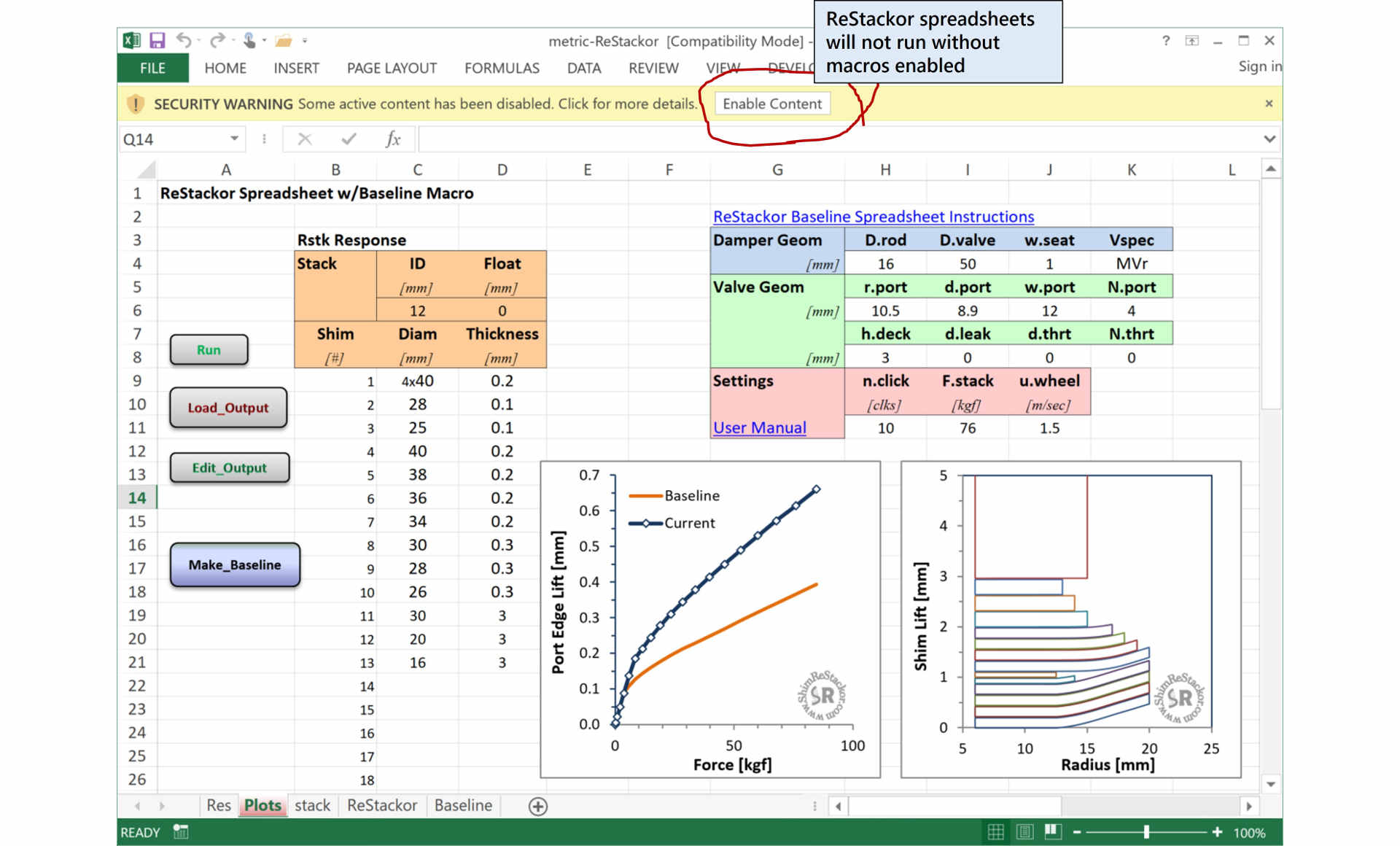
ReStackor spreadsheets use macros to load calculation outputs. The macros generate a security warning on opening a spreadsheet.
Click on "Enable Content" to allow the macros to run.
If spreadsheet security set to “high” all macros are disabled without notification and the Run, Load_Output and Edit_Output buttons will not do anything. The spreadsheet menu path to enable macros is shown here for excel and here for OpenOffice.
Spreadsheet file location
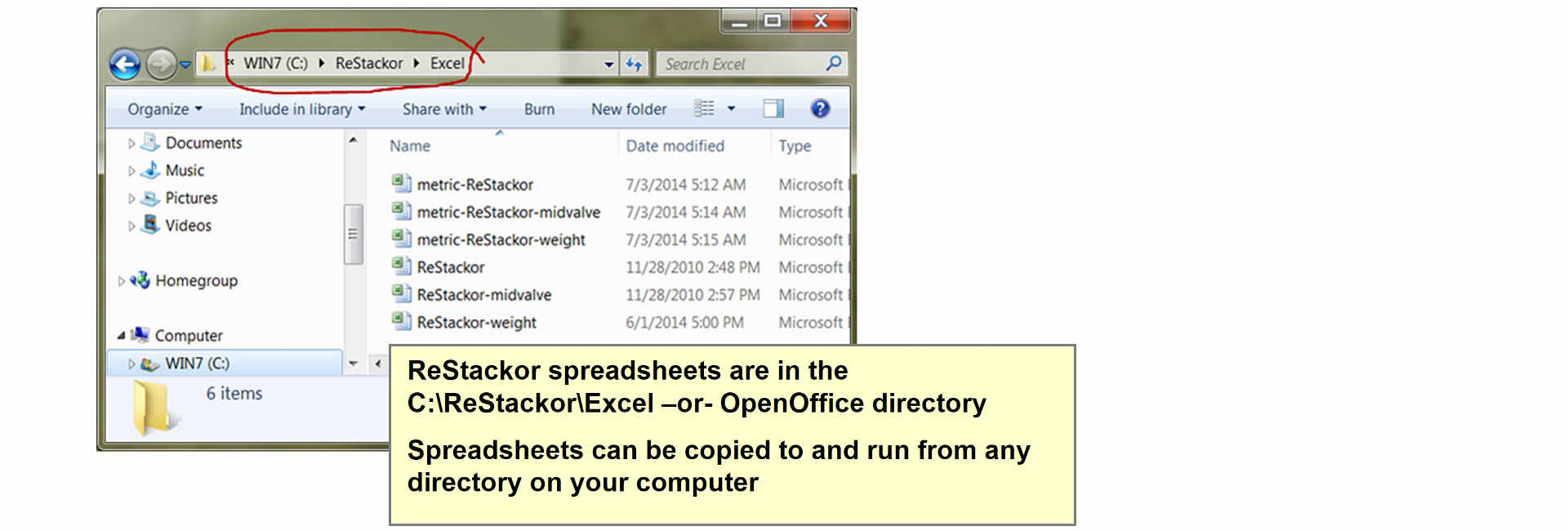
Shim ReStackor spreadsheets are located in the C:\ReStackor directory of the C:\ drive:.
- C:\ReStackor\Excel
- C:\ReStackor\OpenOffice
Spreadsheets in those folders can be copied, renamed, and run from any directory on the computer.
Additional Setup
- Europe: ReStackor uses the dorky U.S. dot comma system. Your spreadsheets have to be setup to use dots for decimals. The setup process is here
- Excel Setup: Solutions to common Excel setup problems are here
- LibreOffice Setup: LibreOffice setup tips are here
Demo Limitations
ReStackor demo calculations are limited to shim diameters less than 10 mm and shim stacks with less than 10 shims with the final two shims specifying the shim stack clamp washer and nut. Only the ReStackor.xls and ReStackor-weight.xls spreadsheets run in demo mode in either English or metric units.
For more complex shim stacks or calculations using the mid-valve spreadsheet you need to purchase a ReStackor license through PayPal.