Excel setup problems
You should be able to download the ReStackor demo, double click the install file, enter the “ReStackor” password and run the demo.
However, there are ways to mess that up:
- Incorrect file paths
- No read/write access to the C: drive
- Security disabled spreadsheet macros
Common problems and fixes are shown below.
File paths
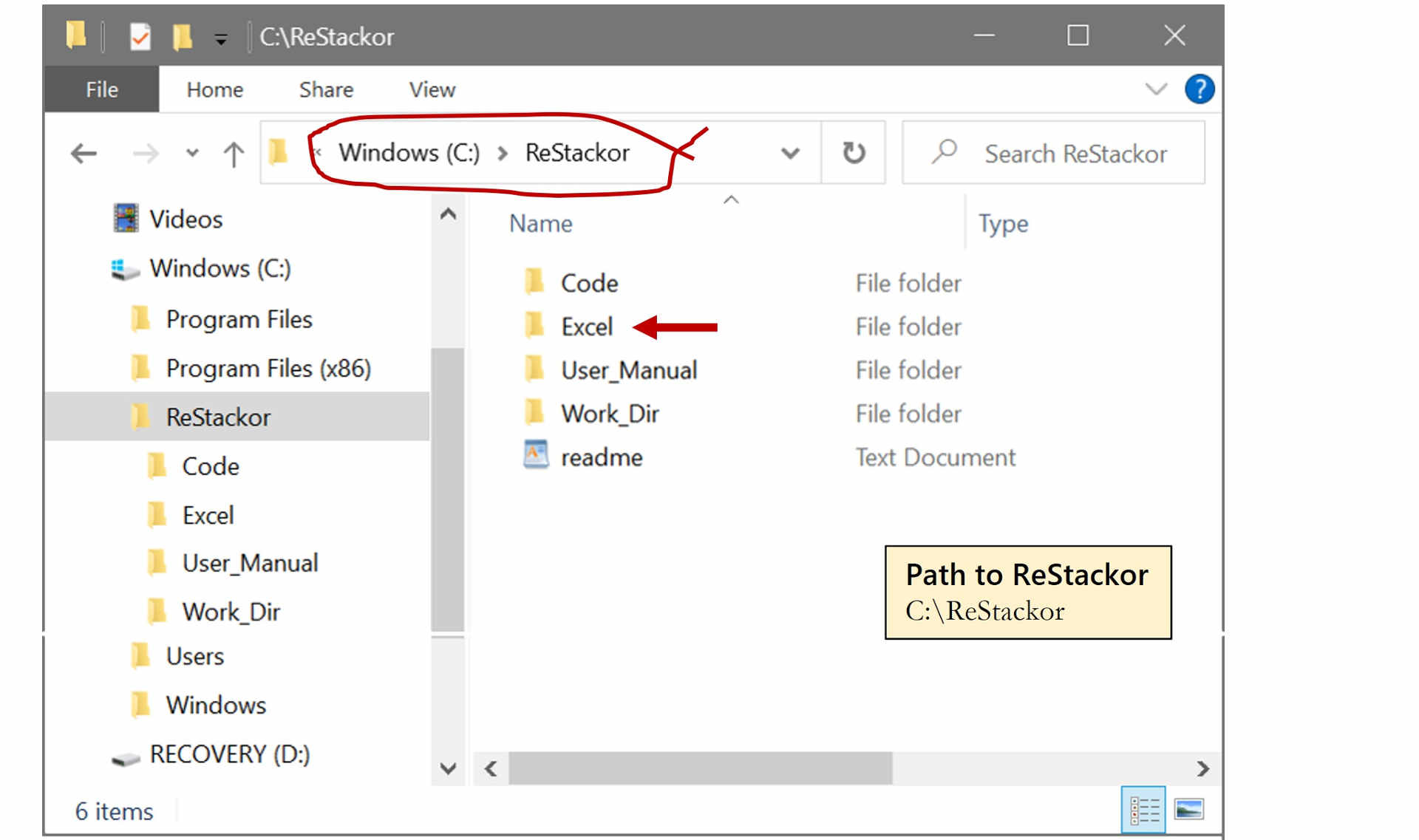
The install directory for ReStackor must be C:\ReStackor. All of the spreadsheet macros and I/O files are hardwired to work on that path. No other file path will work.
Once installed, the spreadsheets in C:\ReStackor\Excel or C:\ReStackor\OpenOffice can be copied, renamed and run from any directory on the computer.
Run from command prompt
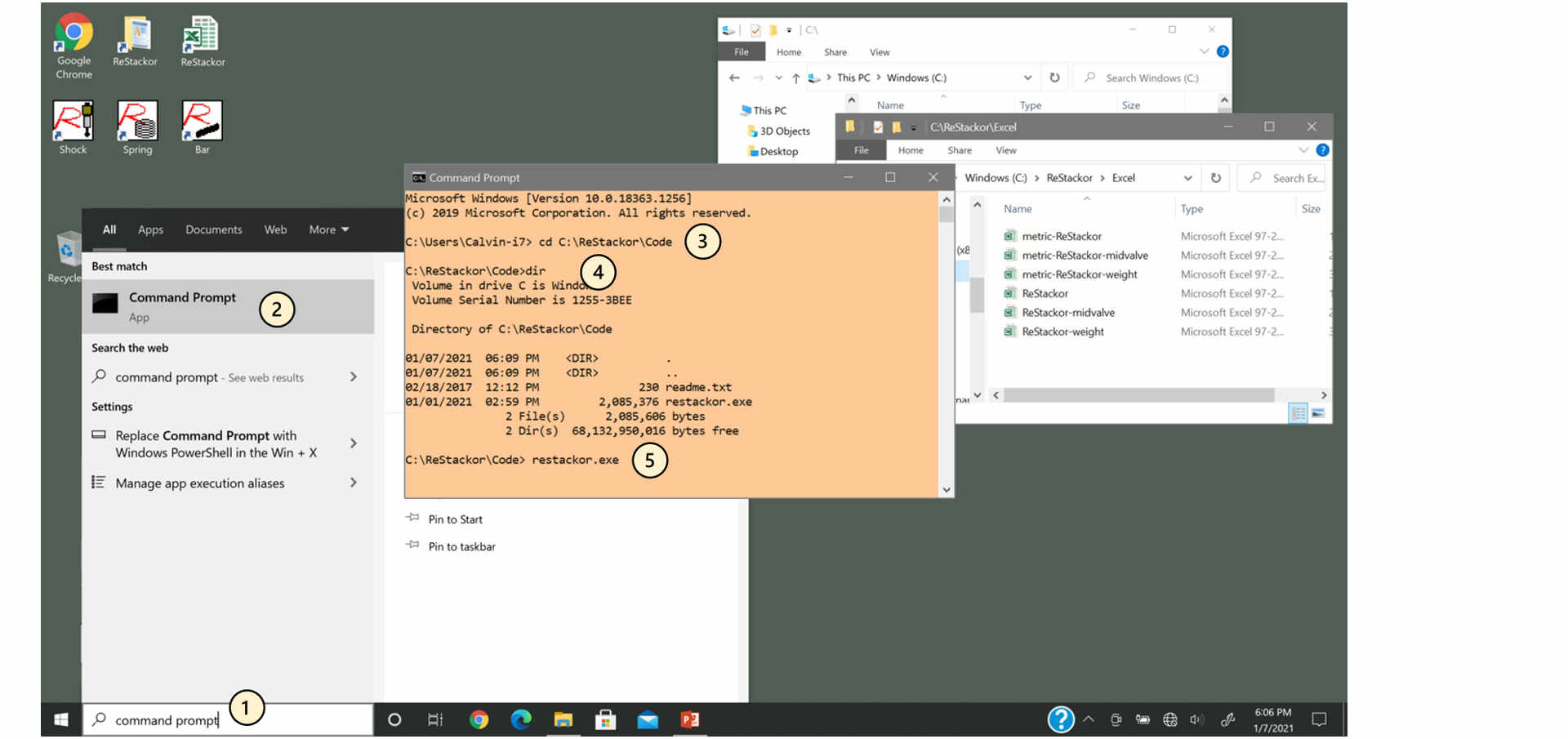
Running ReStackor directly from a command prompt is the most direct method to diagnose problems. Missing directories, bad file formats or read/write access permissions will show up as error messages when run from the command prompt.
A ReStackor spreadsheet has to be run at least once to generate the C:\ReStackor\Work\Stack.in file read as input. If that file is missing the code won’t make it far as the first thing the code does is try and read that input file.
- Go to "Start Menu" an type "command prompt"
- Select "Command Prompt"
- cd C:\ReStackor\Code
- Sets C:\ReStackor\Code as working directory
- dir
- Lists directory contents
- restackor.exe
- Runs ReStackor calculations
File read/write access
Running ReStackor directly from a command prompt is the most direct method to diagnose problems. Missing directories, bad file formats or read/write access permissions will show up as error messages when run from the command prompt.
A ReStackor spreadsheet has to be run at least once to generate the C:\ReStackor\Work\Stack.in file read as input. If that file is missing the code won’t make it far as the first thing the code does is try and read that input file.
- Go to "Start Menu" an type "command prompt"
- Select "Command Prompt"
- cd C:\ReStackor\Code
- Sets C:\ReStackor\Code as working directory
- dir
- Lists directory contents
- restackor.exe
- Runs ReStackor calculations